
Free and open source · MIT
Every .NET SDK,
one keyboard away.
dsm is a fast, keyboard-driven terminal UI for installing, updating, migrating and removing .NET SDKs, runtimes and workloads.
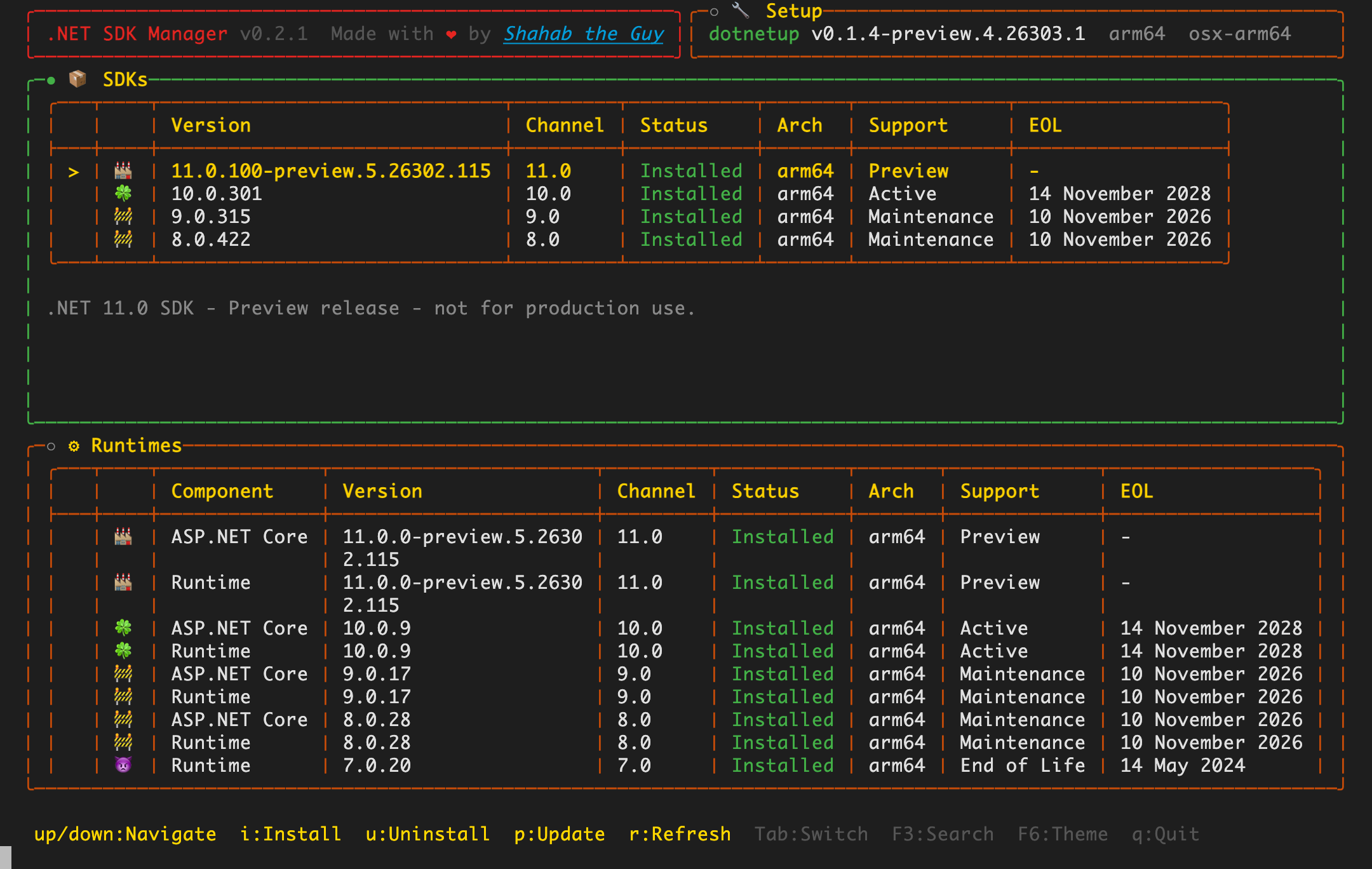
Installed SDKs next to the latest release of every channel — updates at a glance.
Installed SDKs next to the latest release of every channel — updates at a glance.
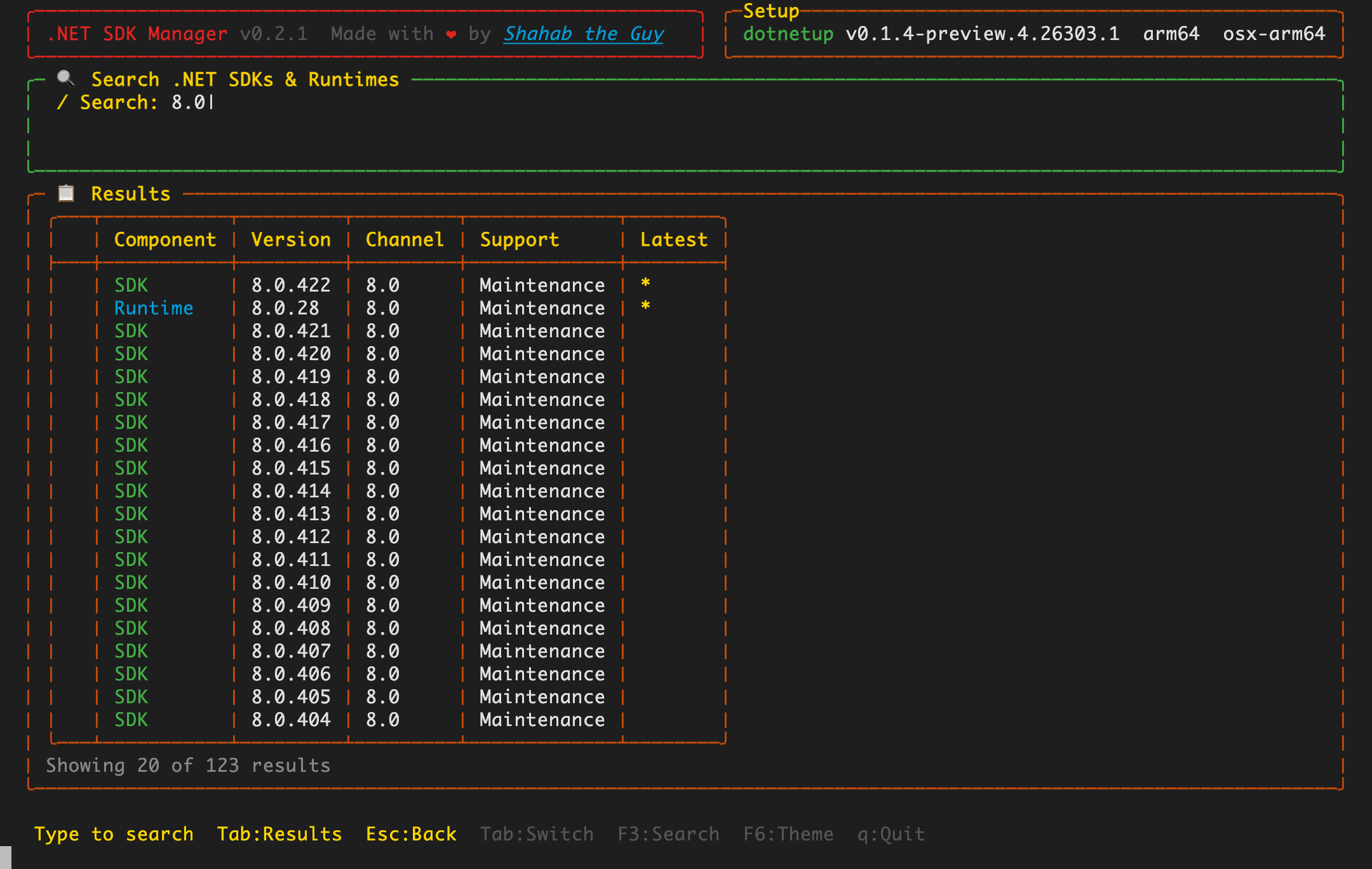
Live, debounced search across every published SDK and runtime version.
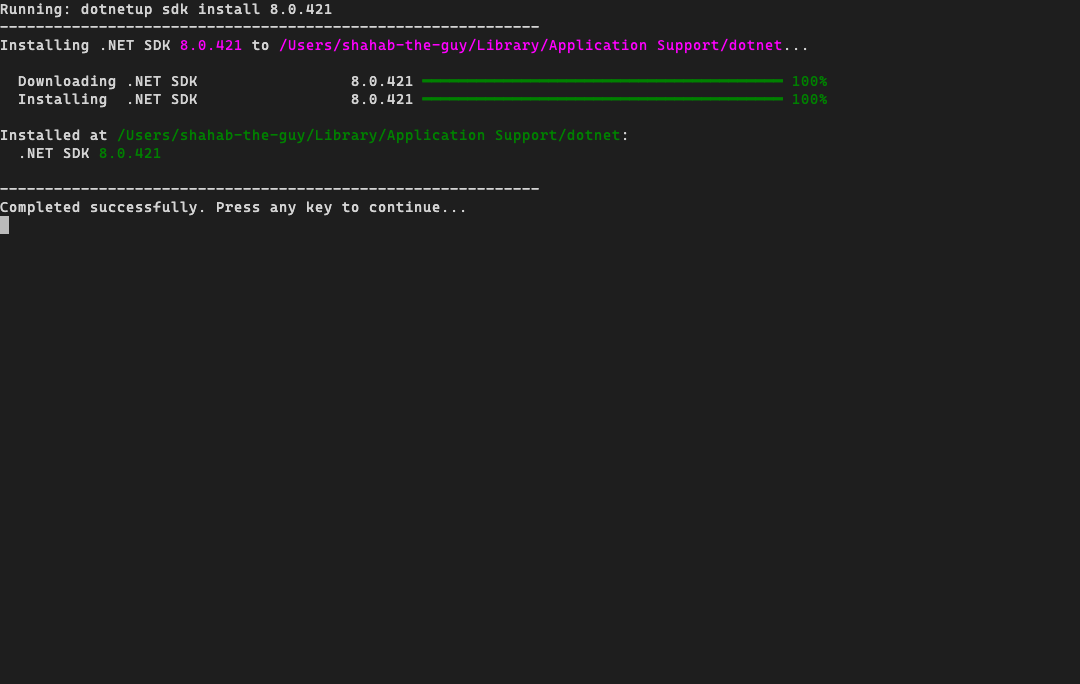
Install with a single key. dsm pins everything else so nothing gets cleaned up by surprise.
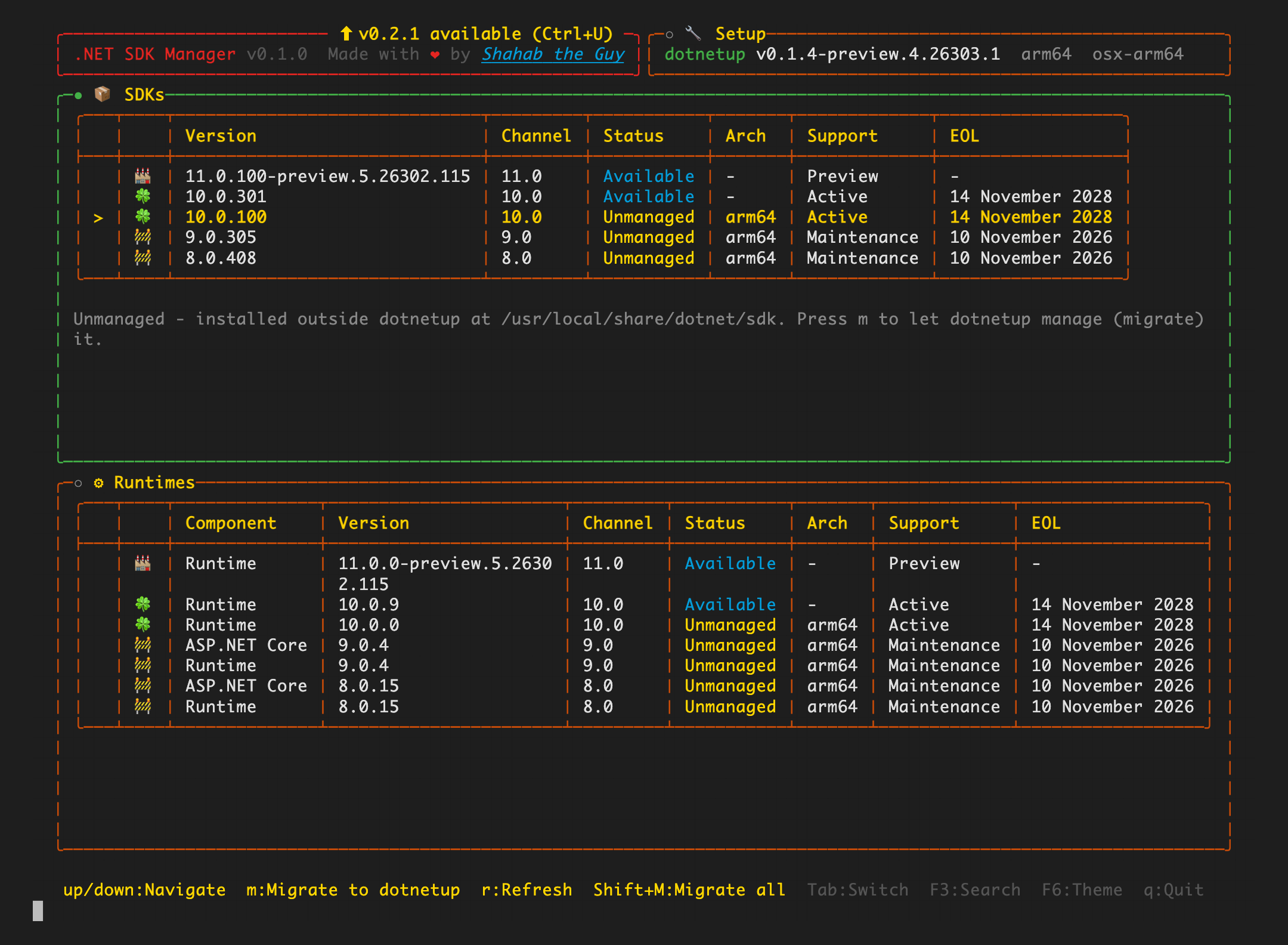
Already have .NET? dsm flags it as unmanaged and brings it under management.
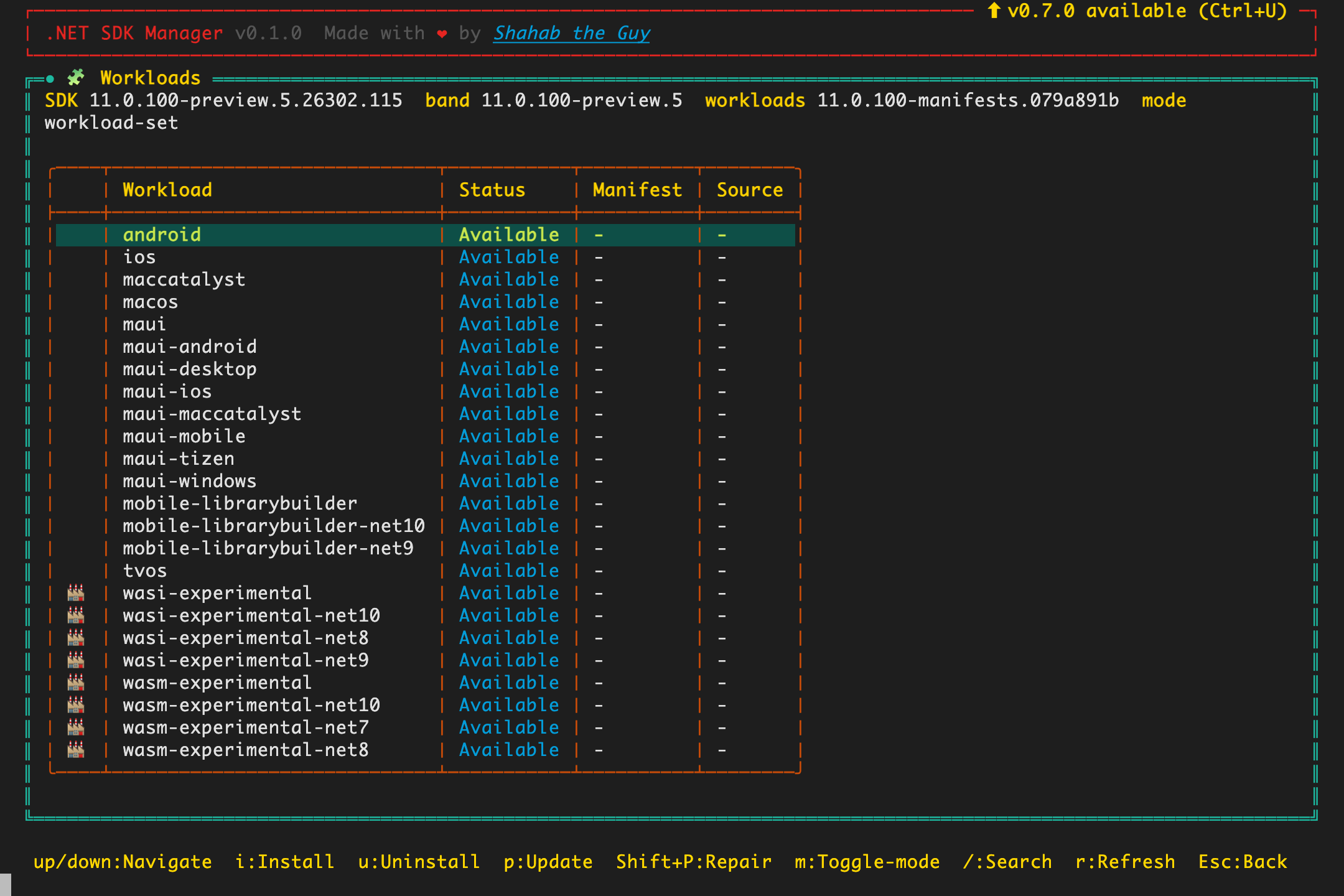
Install, update, repair and remove workloads per SDK.
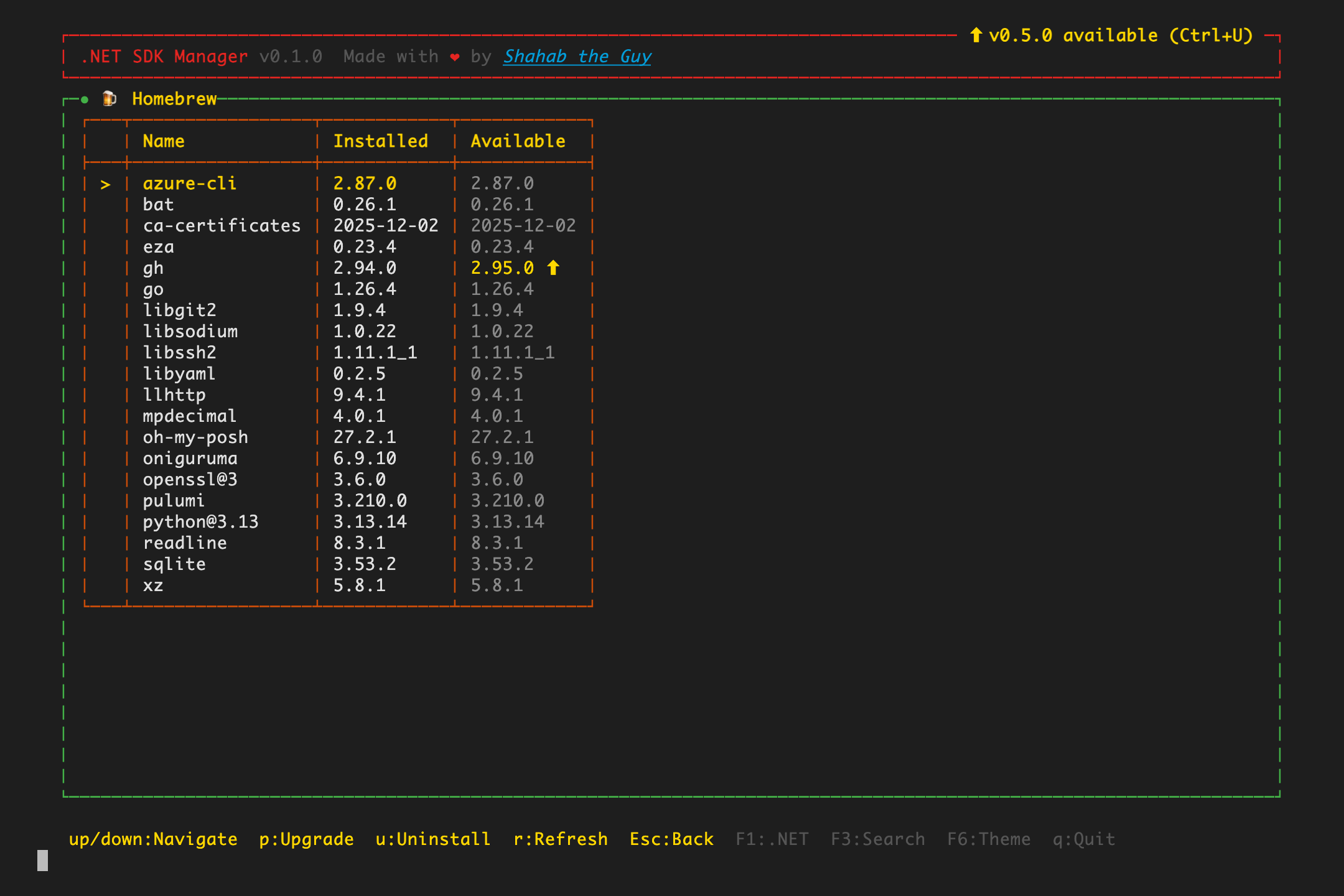
On macOS, browse and manage Homebrew packages from the same UI.
01 Runs everywhere
One native binary.
Every platform.
dsm ships as a self-contained NativeAOT executable. You don't need .NET installed to run the tool that installs .NET.
- macOS
- Linux
- Windows
- x64
- ARM64
- NativeAOT
02 One command
From zero to dsm in seconds.
A single script detects your OS and CPU, downloads the right build and puts it on your PATH. Run it again any time to update.
- Install
- Same command updates in place
- Location
~/.local/bin·%LOCALAPPDATA%\dsm- Self-update
- Press Ctrl+U inside the app
03 Everything in one screen
Your whole .NET toolchain,
under control.
See installed versions next to the latest releases, then act on them without leaving the keyboard. Every flow has a step-by-step guide.
Install & update SDKs
Install, update or remove SDKs and runtimes with one keystroke. Updates per channel are always visible.
Explore installing 02Migrate what you have
SDKs installed outside dotnetup are flagged as Unmanaged. Adopt one with m, or all of them with Shift+M.
Explore migration 03Live search
Find any SDK or runtime version as you type. Searches are debounced and stale requests are cancelled.
Explore search 04Workloads per SDK
Open the workloads workspace for any installed SDK to install, update, repair or remove workloads.
Explore workloads 05Built on dotnetup
dsm drives dotnetup, the official .NET acquisition tool. No dotnetup yet? Press i in the Setup panel and dsm installs it for you.
Explore setup04 Keyboard-first
No mouse.
No menus to dig through.
Every action is a single key away. Learn a handful of shortcuts and manage your entire .NET setup at the speed of thought.
05 Safe by design
Change one version.
Keep the rest.
dsm is careful with your machine, so you can be fast without being reckless.
Version pinning
Every other installed version is pinned before an install or uninstall, so dotnetup's cleanup only touches the one you picked.
Lifecycle at a glance
Every row is tagged 🍀 active, 🏭 preview, 🚧 maintenance or 👿 end-of-life — no release notes required.
Self-updating
dsm tells you when a new release is out. Press Ctrl+U and it updates itself in place.
Dark & light
Press F6 to switch themes. The terminal background adapts for a native look in both.
06 Get started
Try .NET SDK Manager
in one line.
No .NET runtime needed. Open a new terminal afterwards and run dsm.
curl -fsSL https://raw.githubusercontent.com/shahabganji/dotnet-sdk-tui/main/install/install.sh | bashirm https://raw.githubusercontent.com/shahabganji/dotnet-sdk-tui/main/install/install.ps1 | iex